This help will guide you through the setup and usage of our point of sale cash register software.
Search by keyword in the help section:
Connect Shopify to Kash.click
This page explains how to connect your Shopify store to Kash.click to synchronize your products, categories, variations, stock, and customers.
Two connection methods are available.
- OAuth connection (recommended).
- Login via Admin API token (advanced).
Both methods offer the same synchronization features.
Method 1: OAuth connection (recommended)
This method allows you to connect Shopify to Kash.click without manipulating an API access token.
1. Open the Shopify apps
Log in to https://dev.shopify.com
2. Create an application
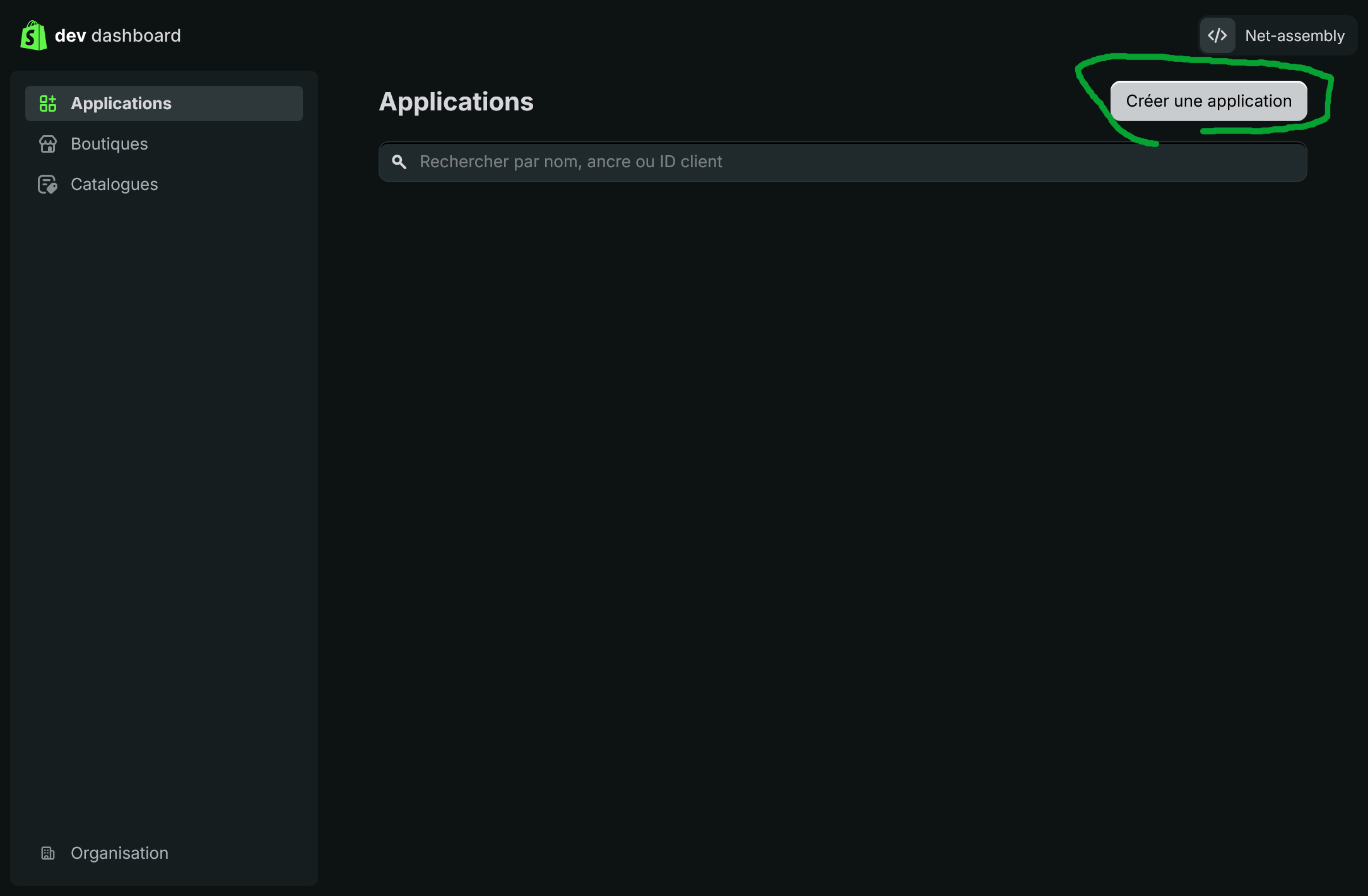
Click on Develop applications and then on Create an application.
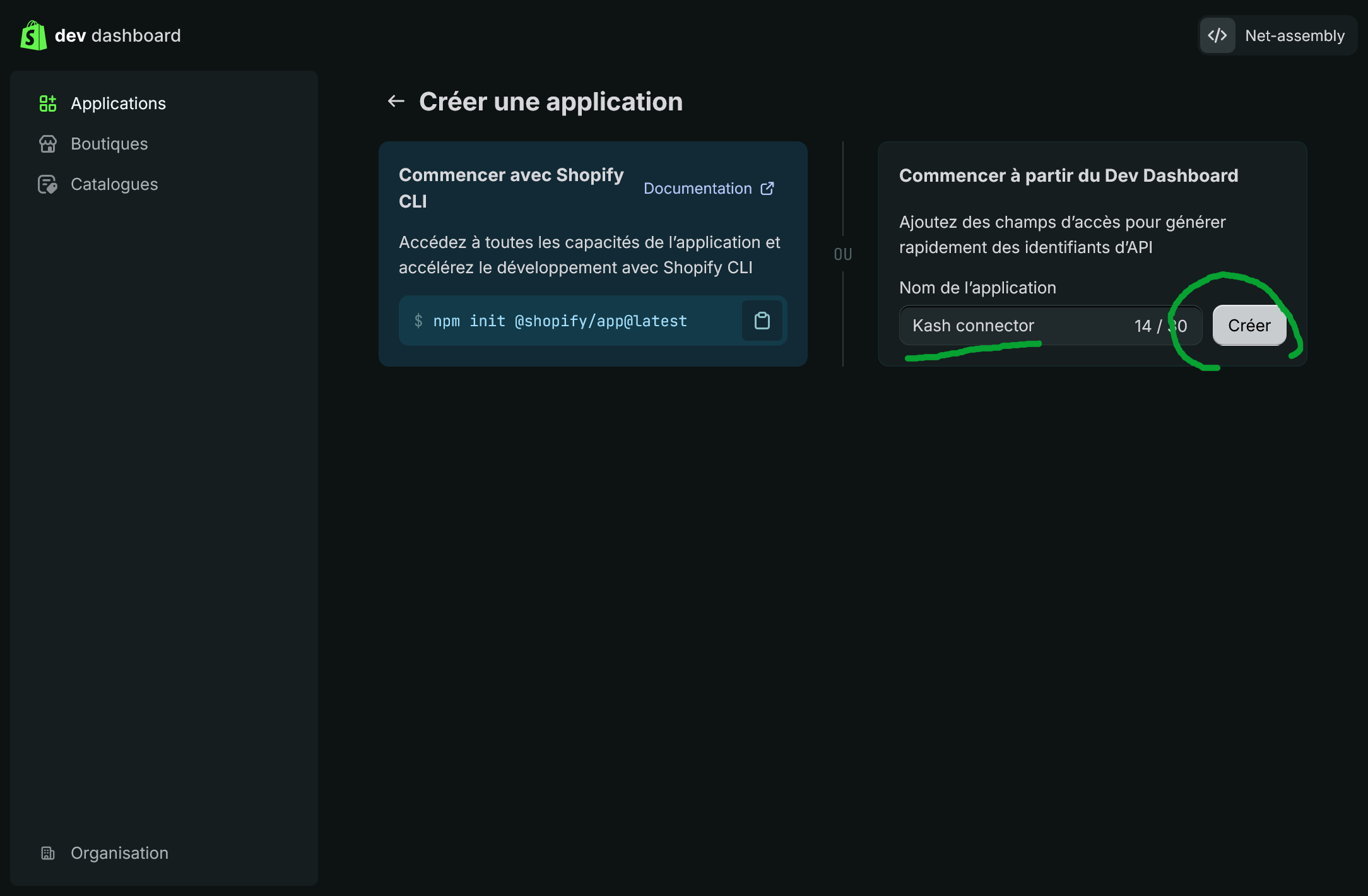
Give the application a name and then create it.
4. Configure OAuth URLs and permissions
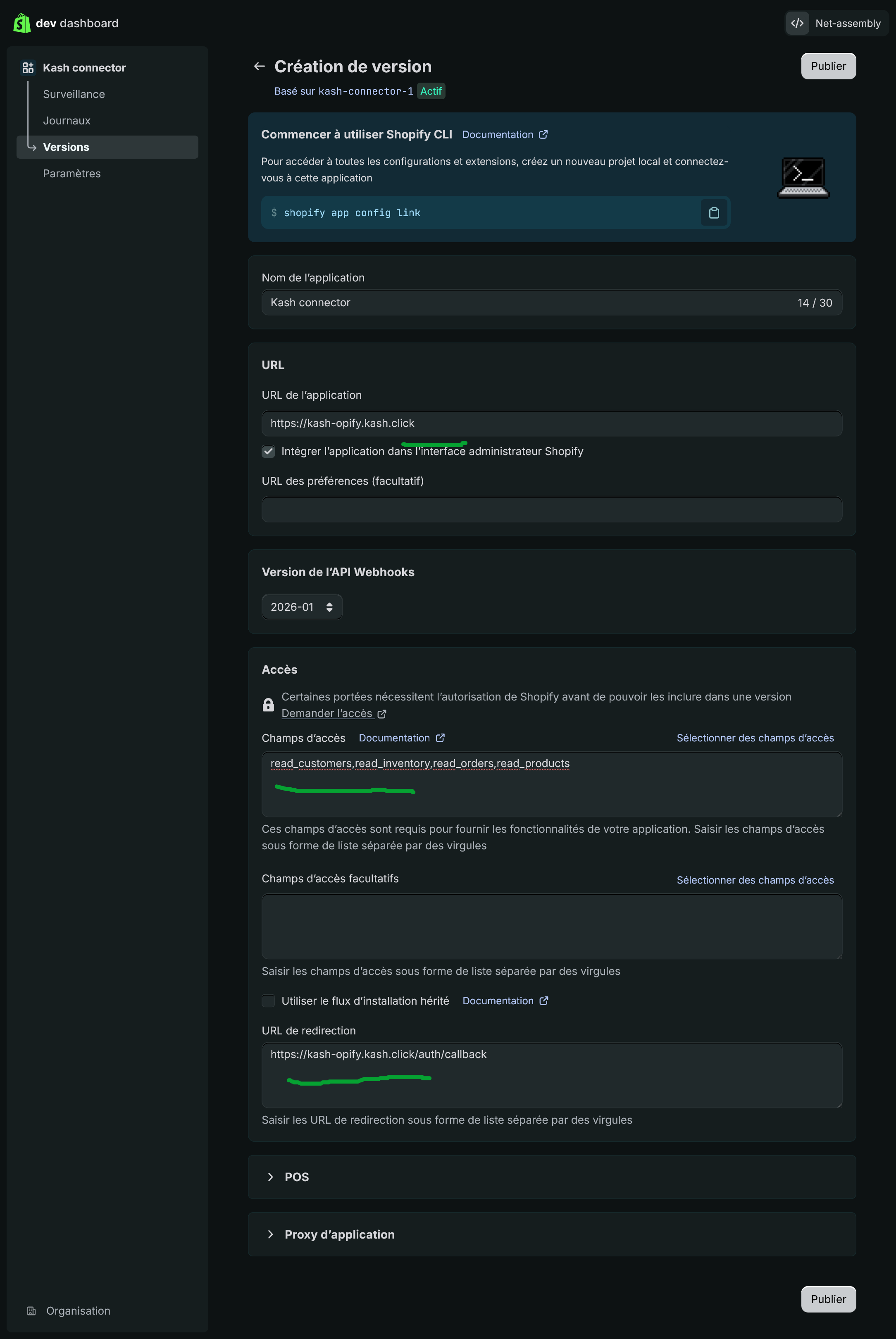
In the application settings, configure the URLs shown in Kash.click.
Application URL:
https://kash-opify.kash.click
Authorized redirect URL:
https://kash-opify.kash.click/auth/callback
Access fields:
read_customers,read_inventory,read_orders,read_products
Webhooks API version:
2026-01
5. Configure the distribution method
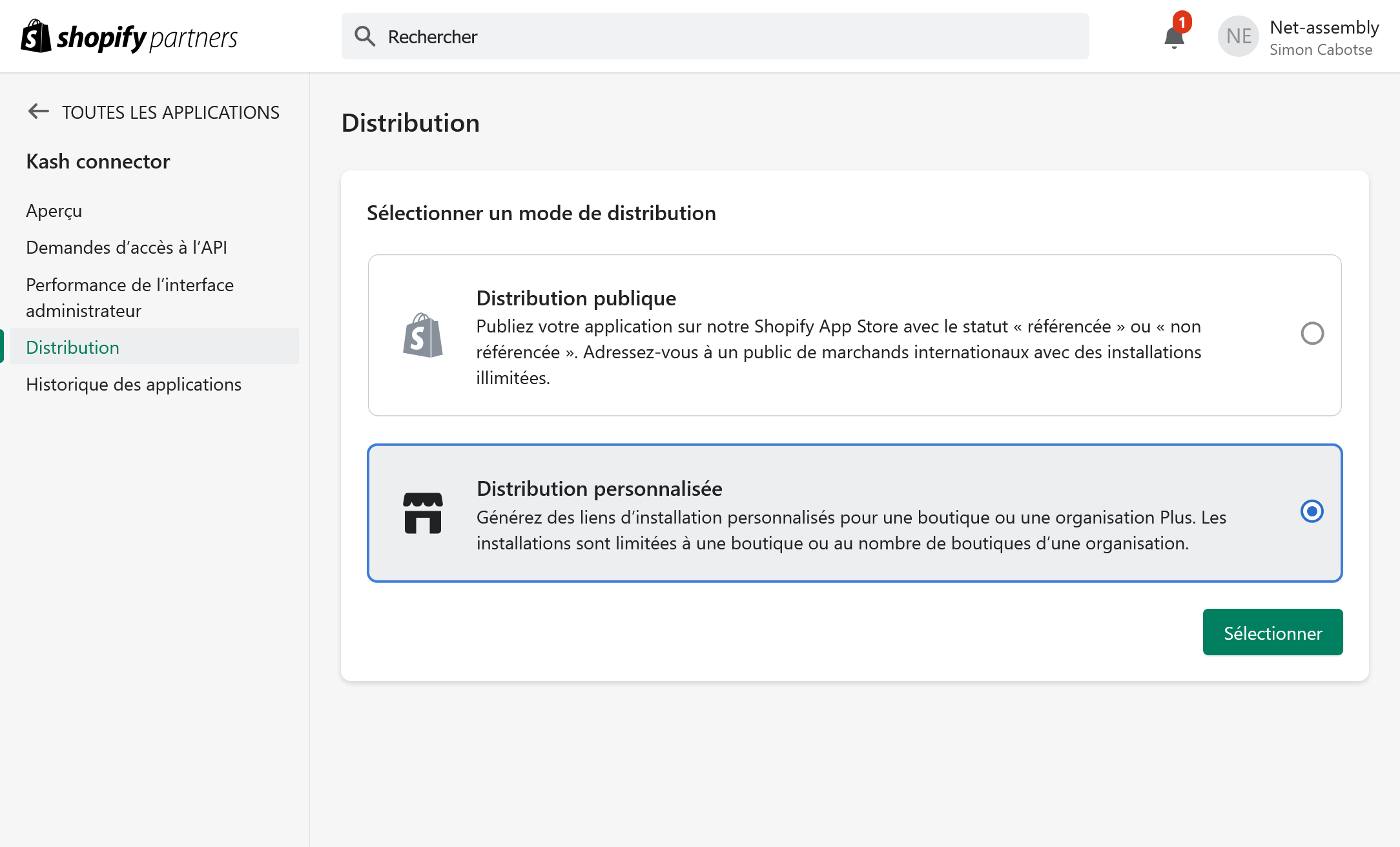
Use the link to choose the distribution method
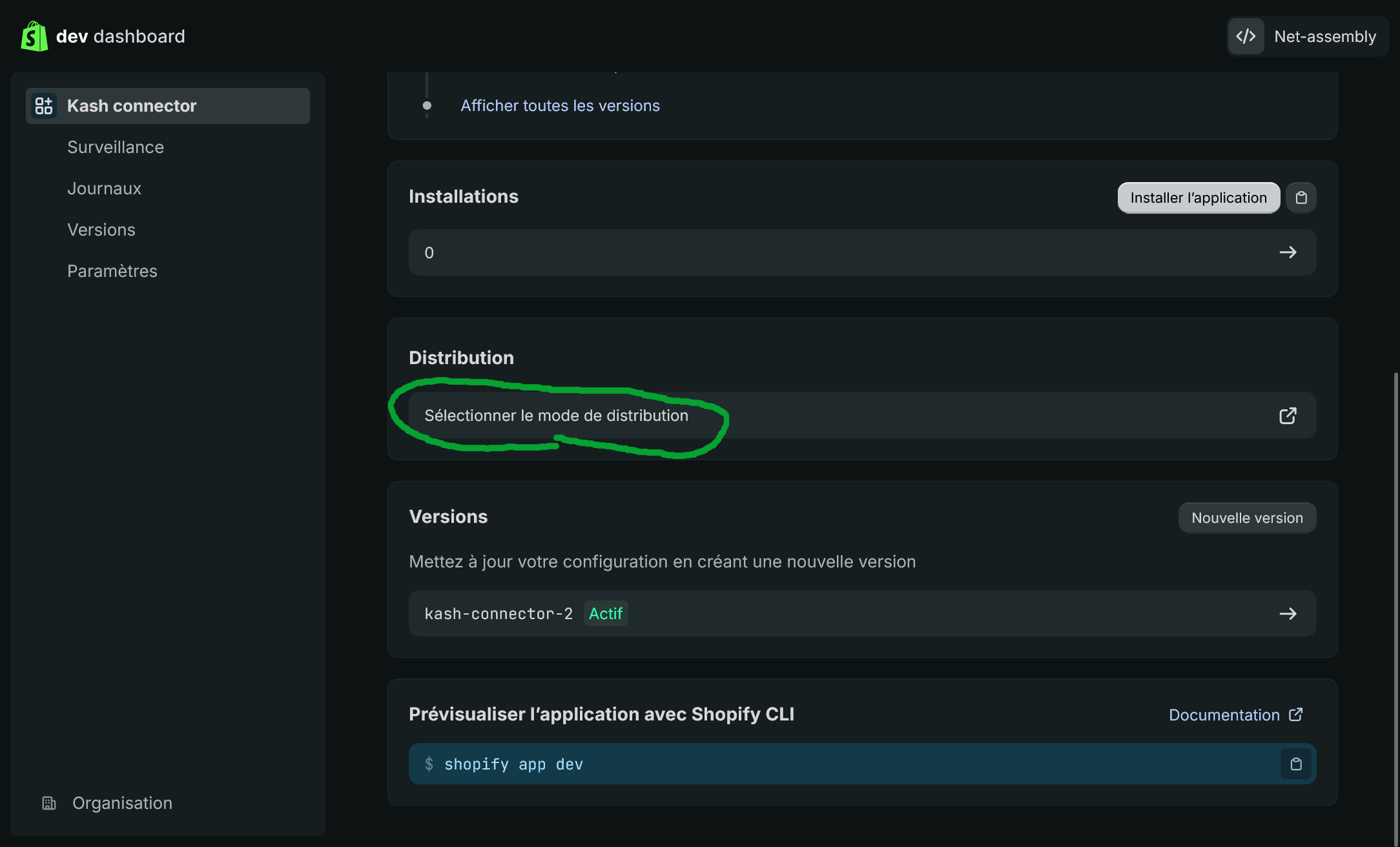
Choose a customized distribution.
Specify your shop domain
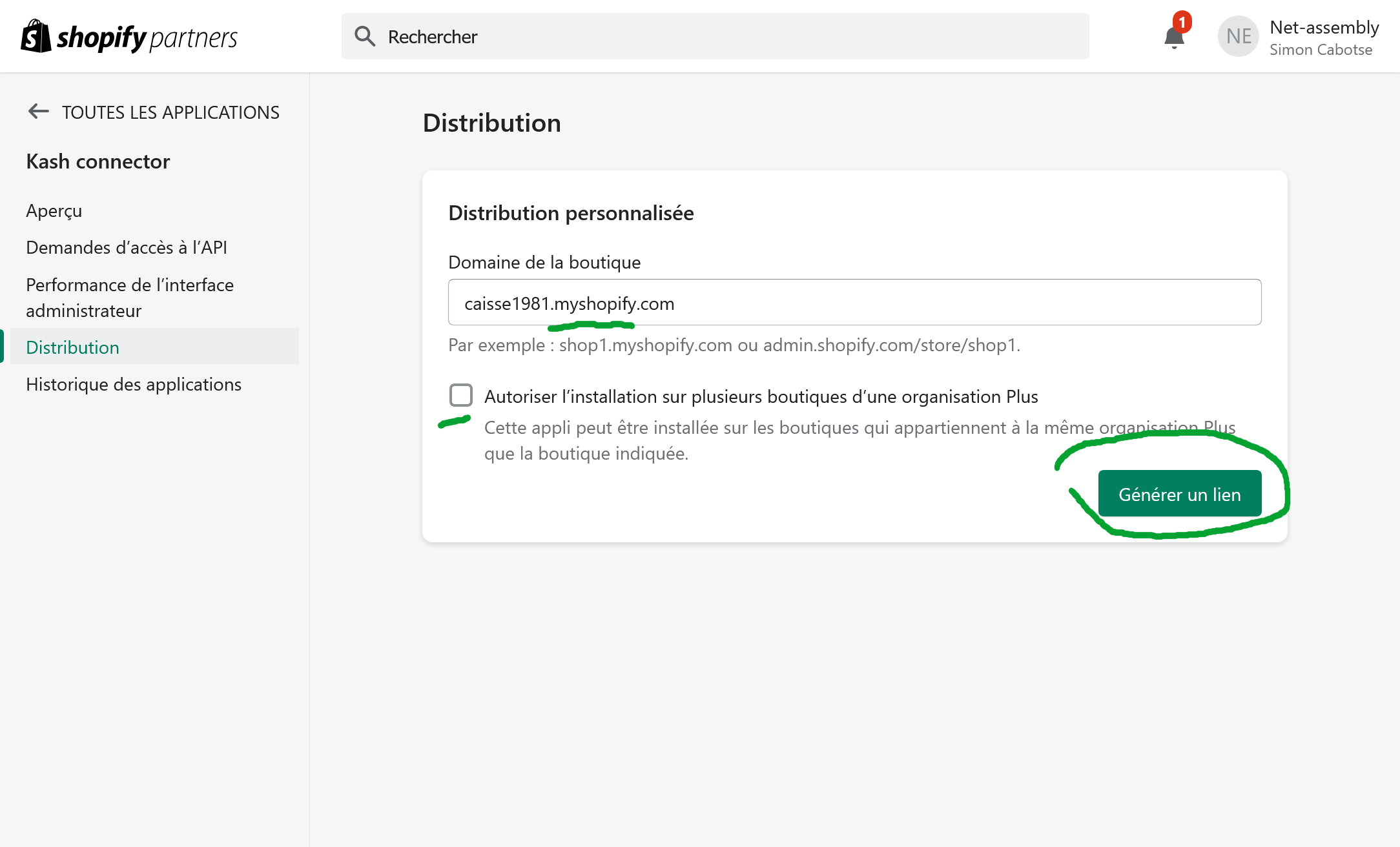
Use the provided link to install the application.
7. Copy the Client ID and Client Secret
Open the API Credentials tab and then copy the Client ID
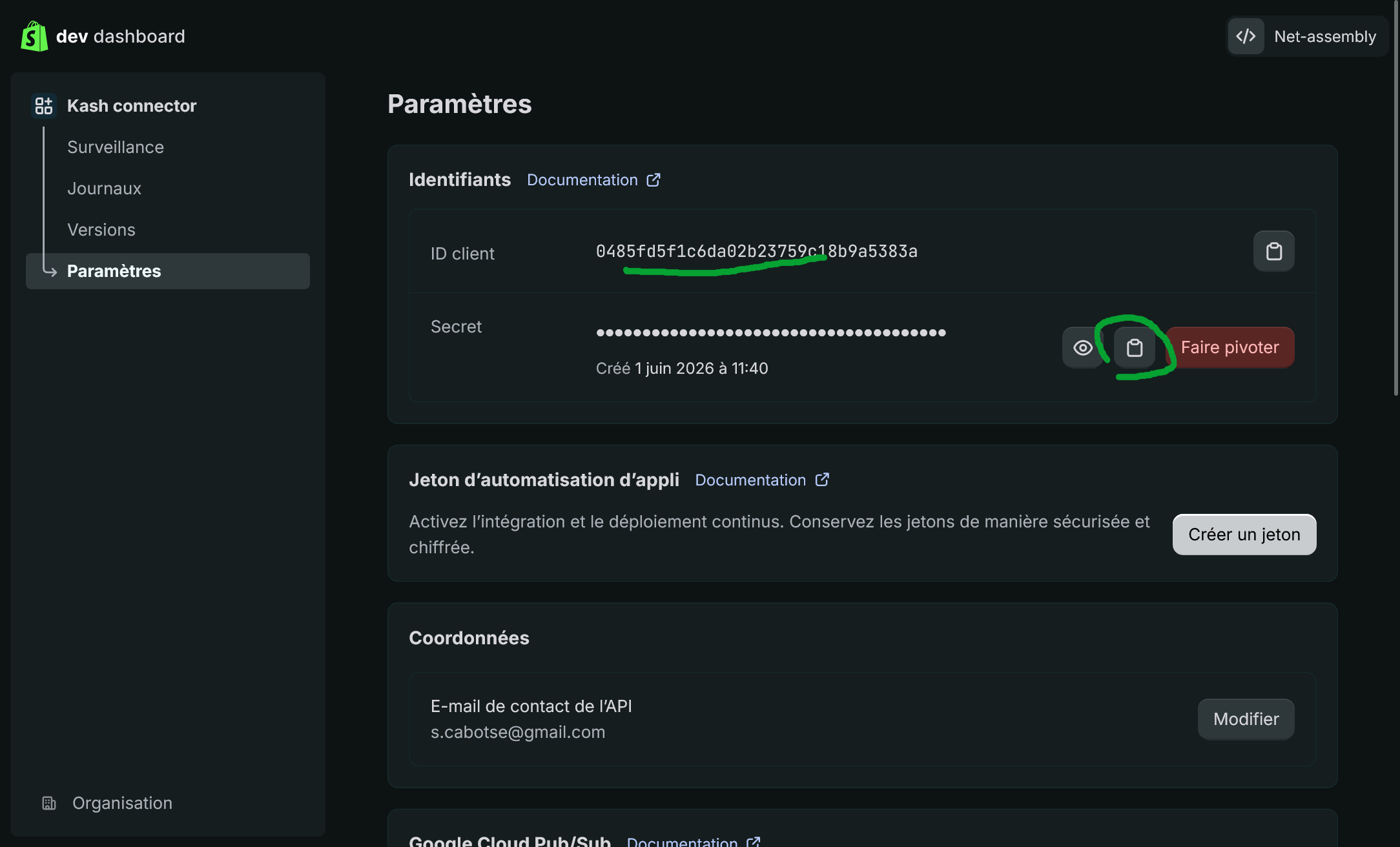
8. Connect Shopify to Kash.click
In Kash.click, select the OAuth connection and then enter the Shopify domain, Client ID and Client Secret.
Save.
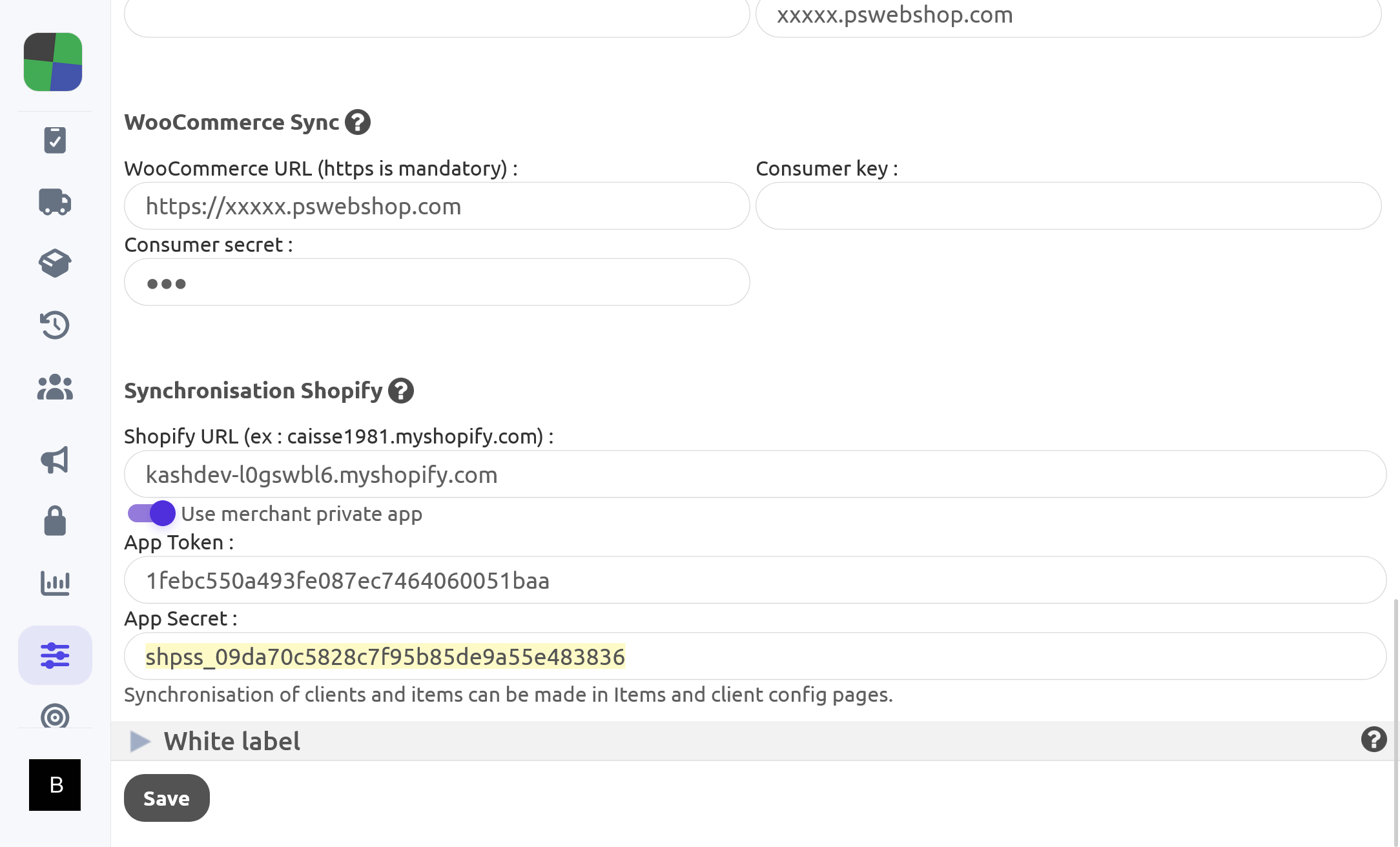
9. Allow Kash.click
Shopify will then display an authorization page. Confirm the connection to complete the installation.
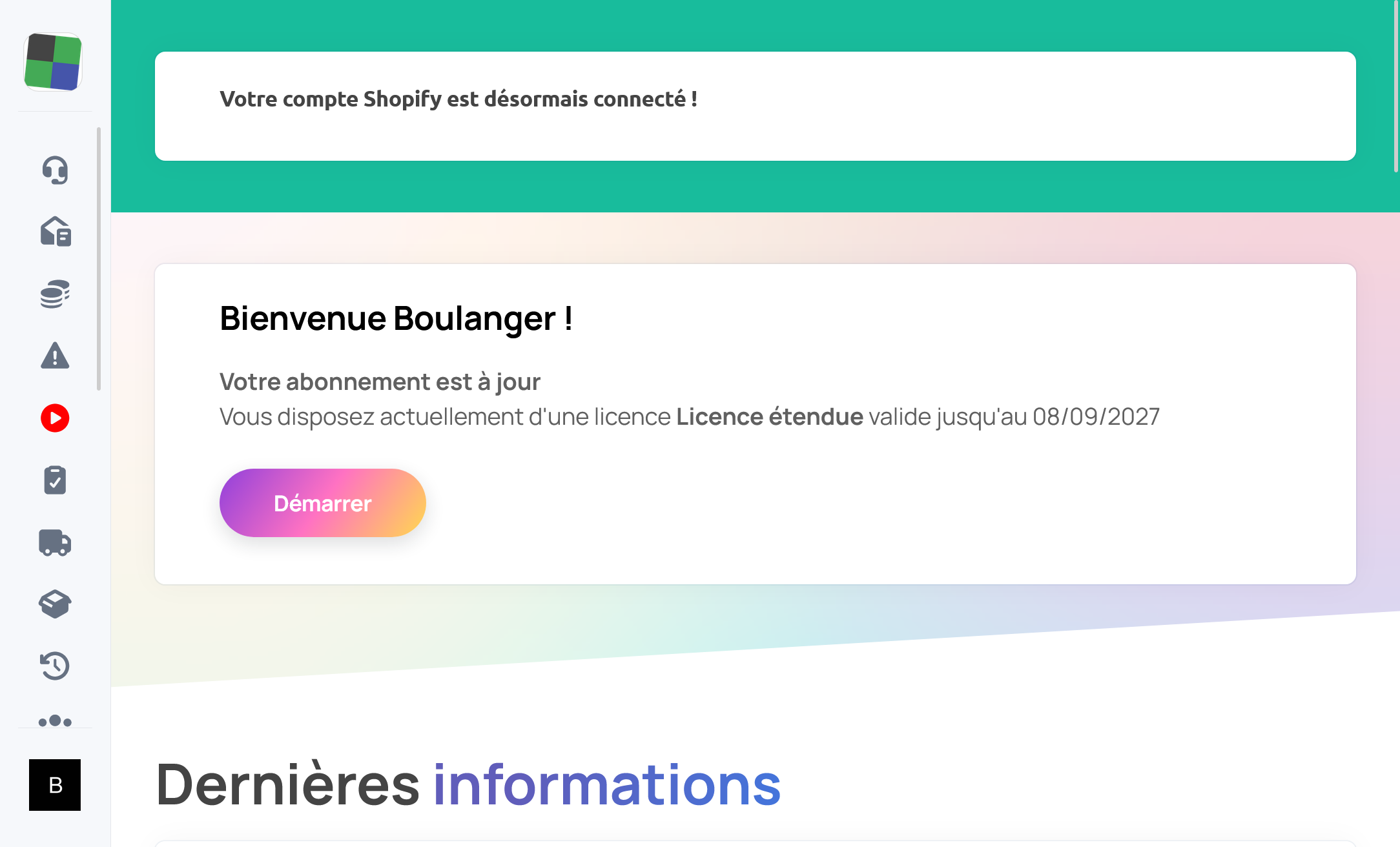
Method 2: Login via Admin API token (advanced)
This method is intended for advanced users who wish to directly use a Shopify Admin API token.
1. Open the Shopify admin interface
Log in to your Shopify interface and then open your store settings.
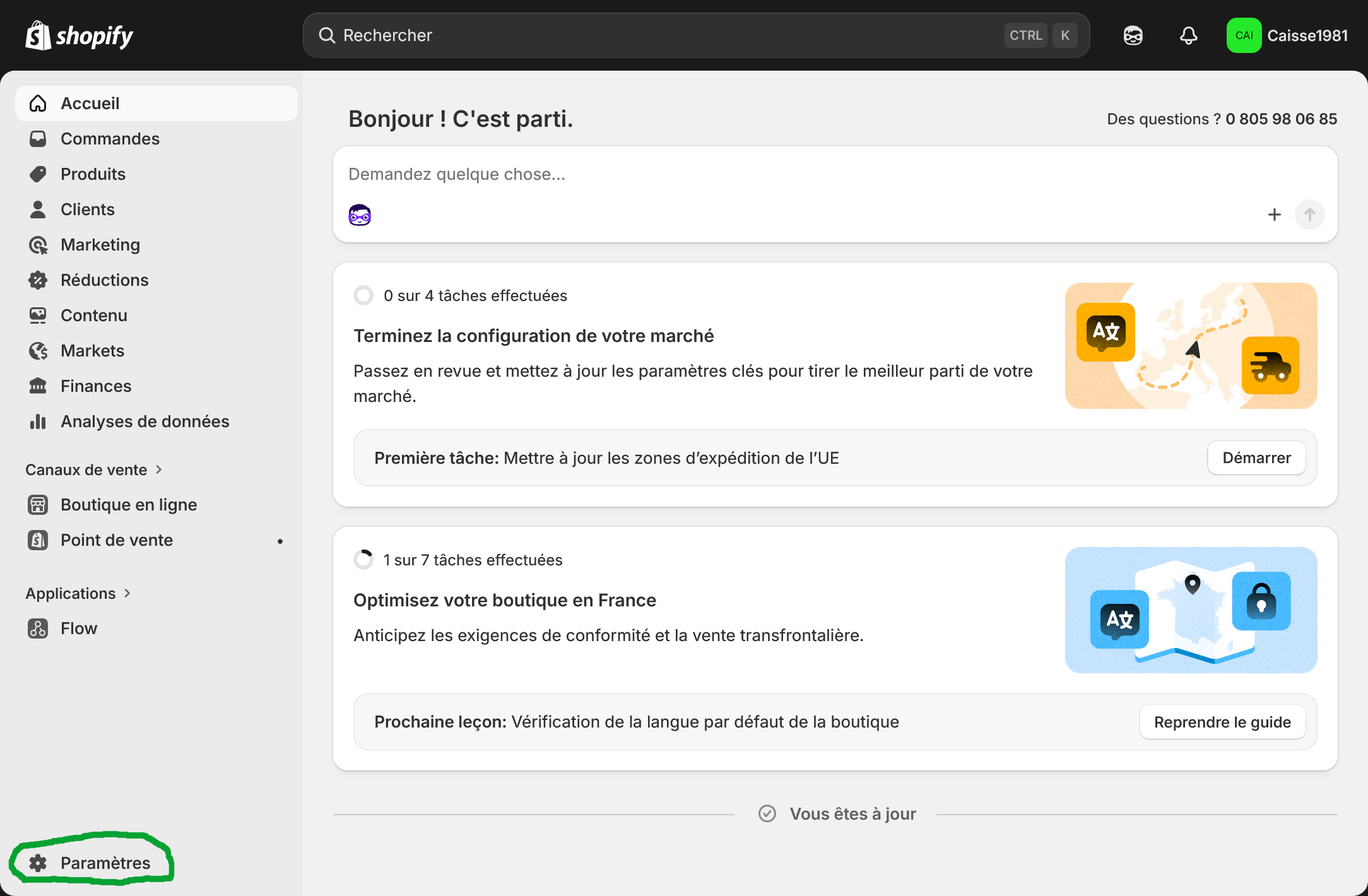
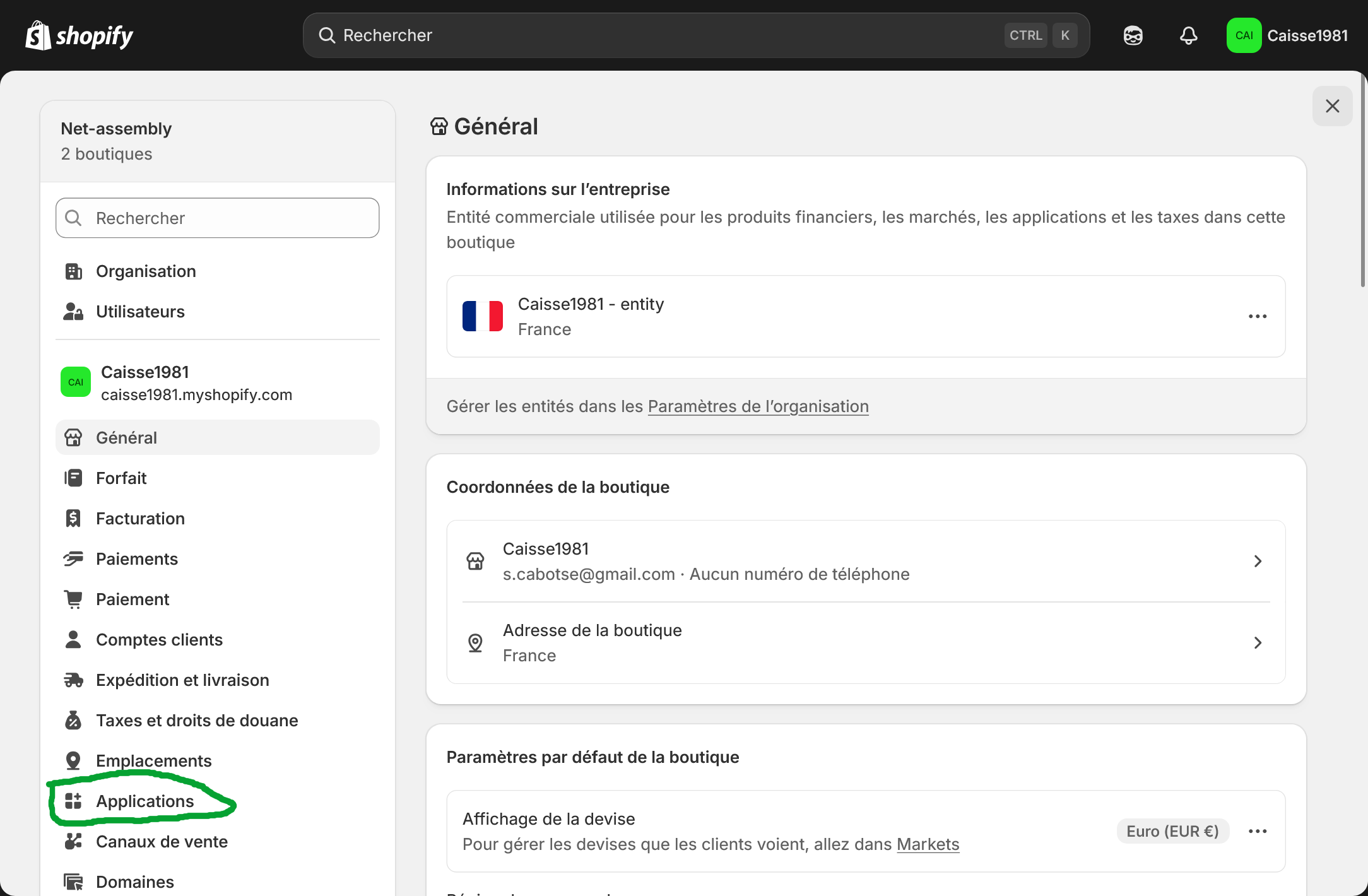
2. Accessing the applications
In Shopify settings, click on Apps and sales channels.
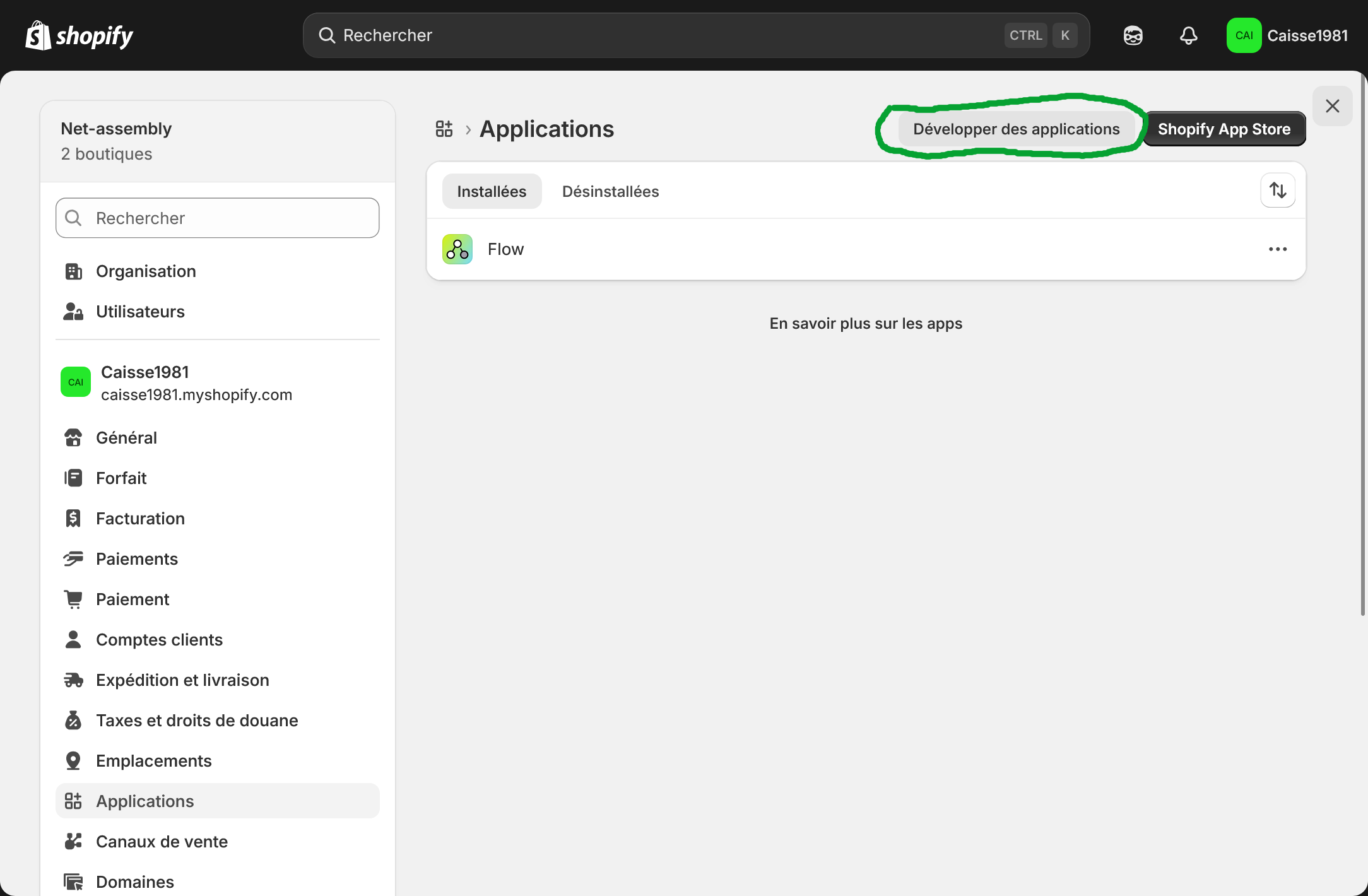
3. Open custom application creation
Click on Develop apps. If Shopify prompts you, allow custom app development.
4. Create a new application
Click on Create an application and then name it Kash.click.
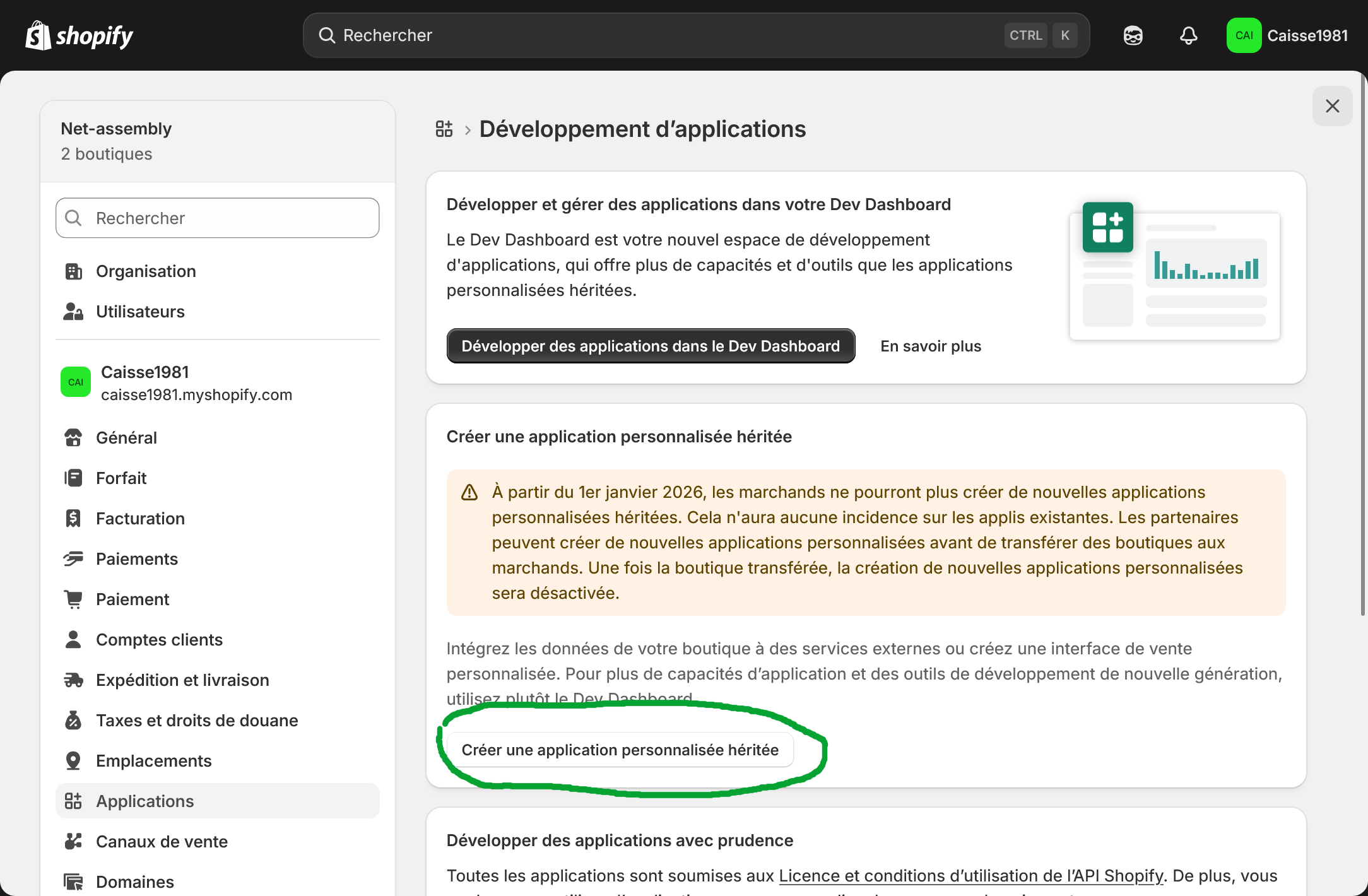
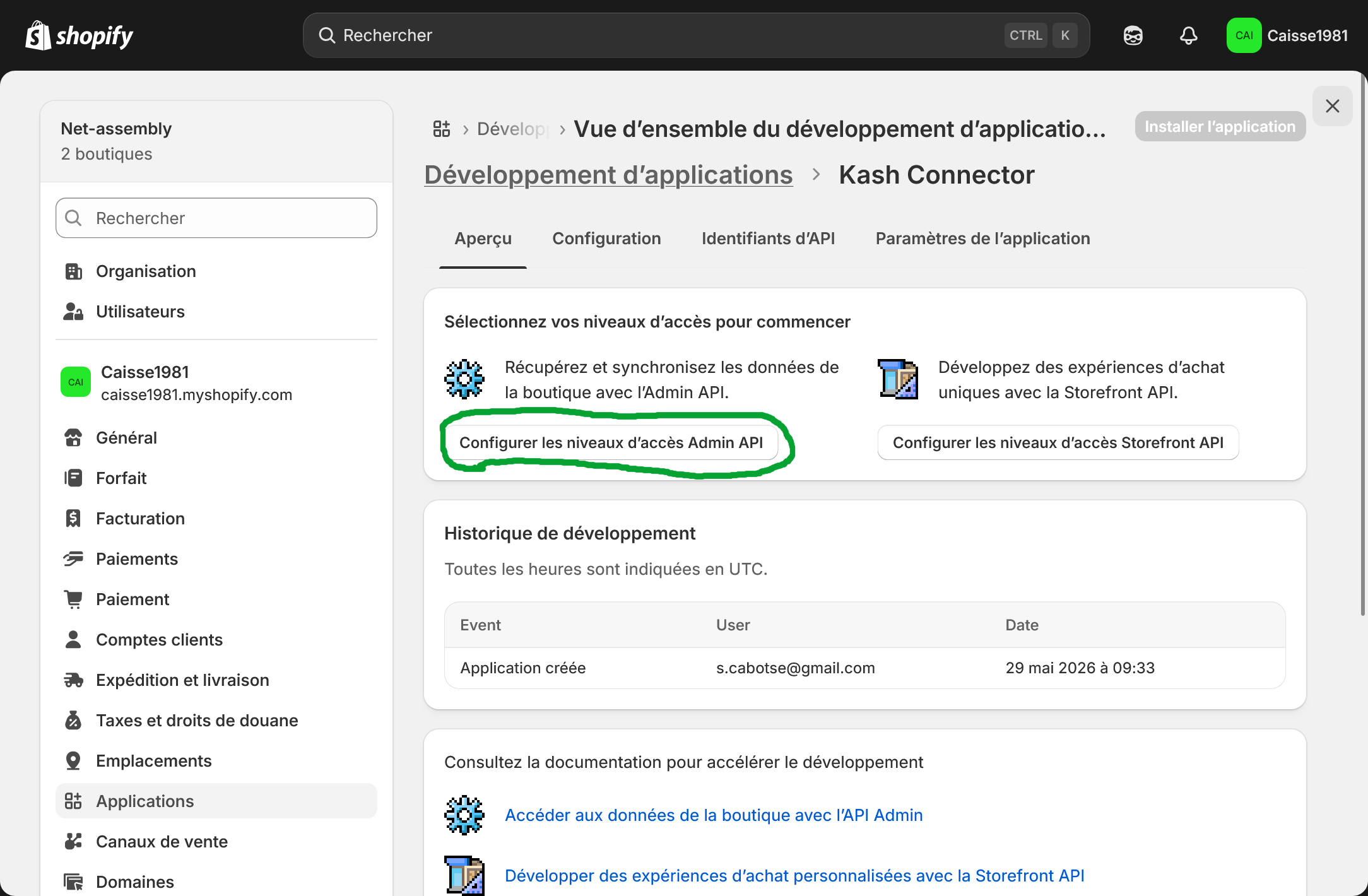
5. Configure API Admin permissions
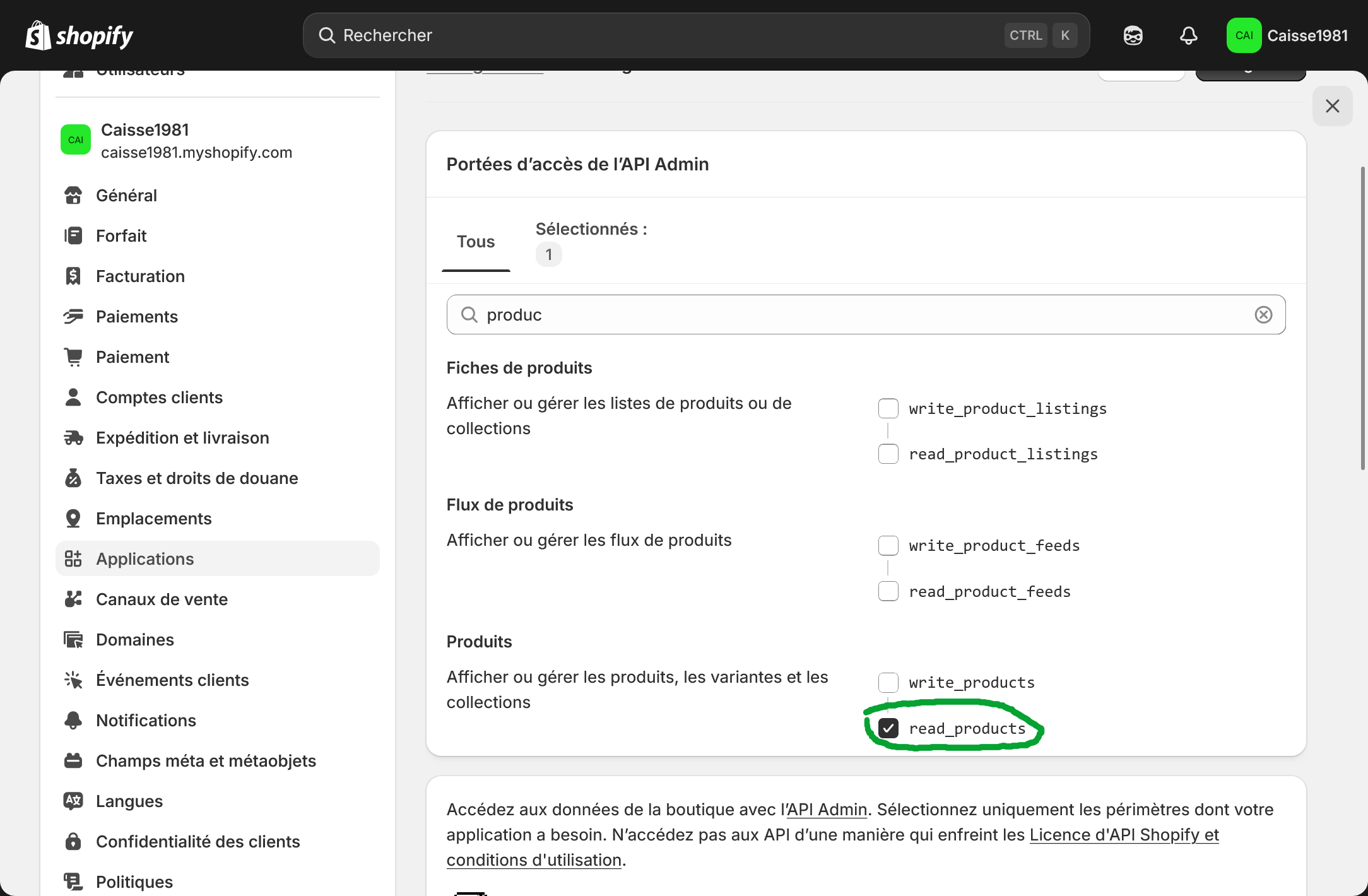
In the application configuration, open the Admin API section and select the permissions required for synchronization with Kash.click.
Activate at least the following permissions: read products, read stock, read locations and read customers.
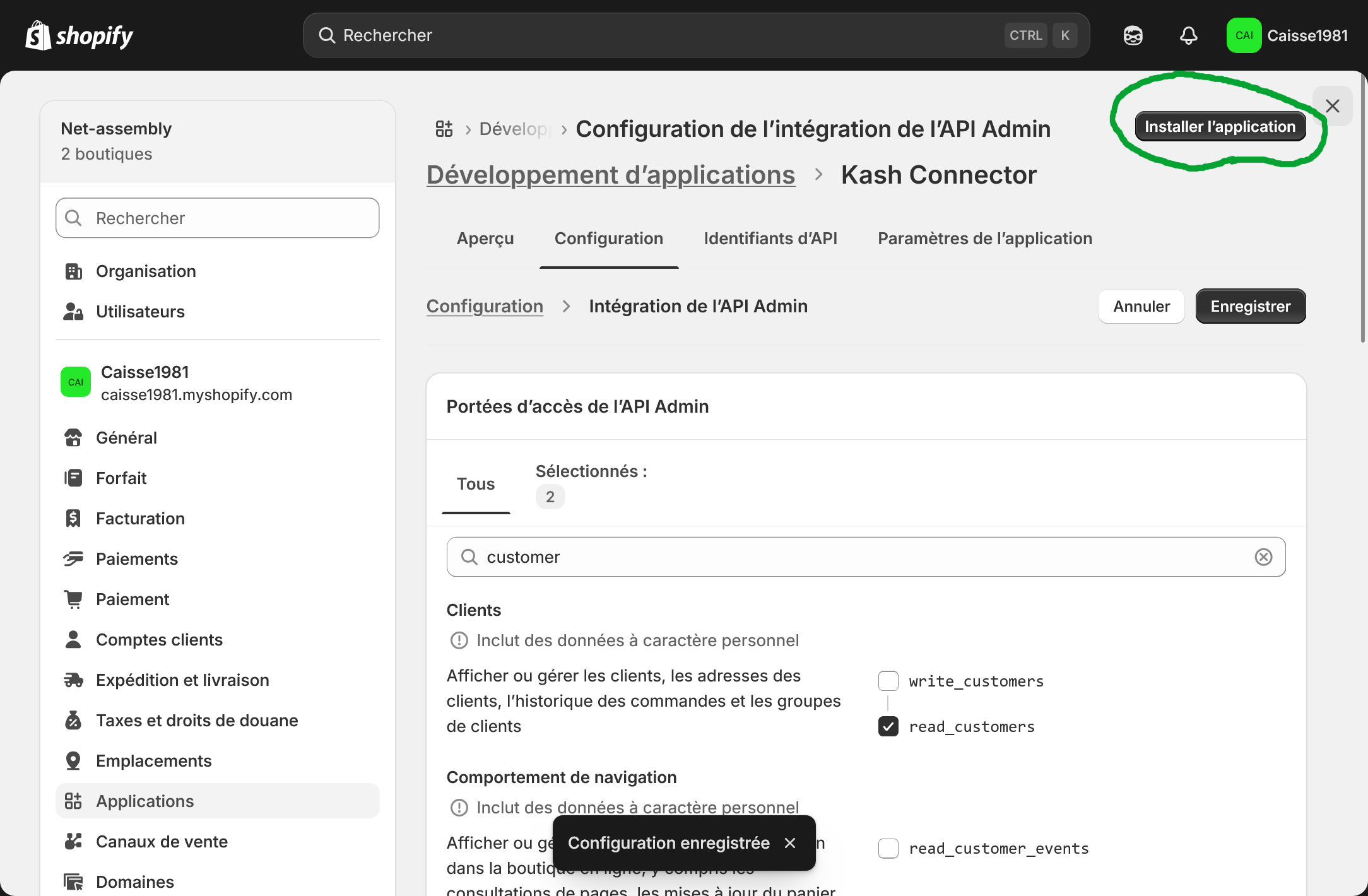
6. Install the application
Once the permissions are configured, click on Install application and then confirm the installation.
7. Copy the Admin API token
After installation, open the API Credentials tab and then click on Reveal Admin API Access Token.
Warning: Shopify only displays this token once. Copy it immediately and keep it safe.
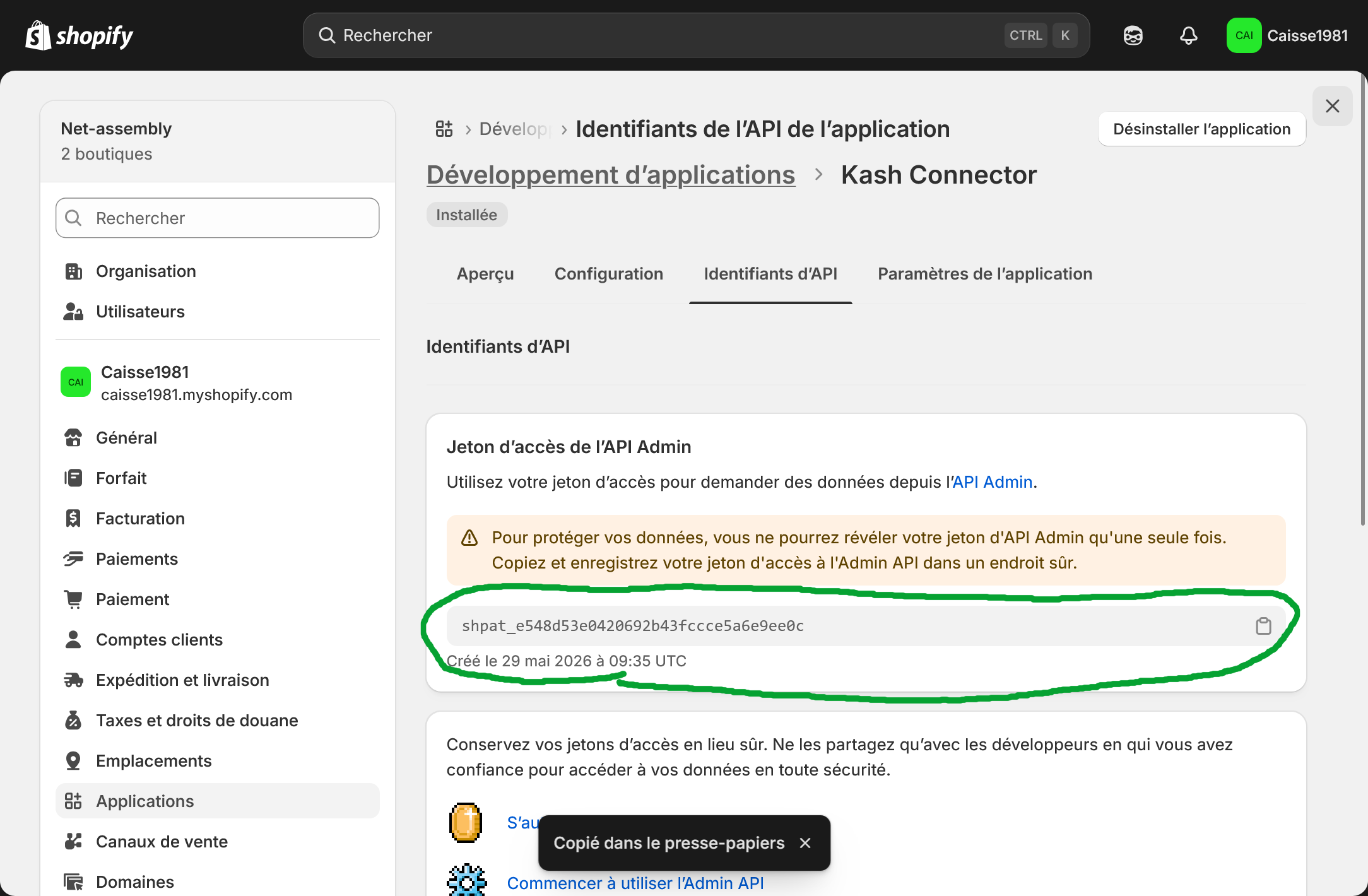
8. Paste the token into Kash.click
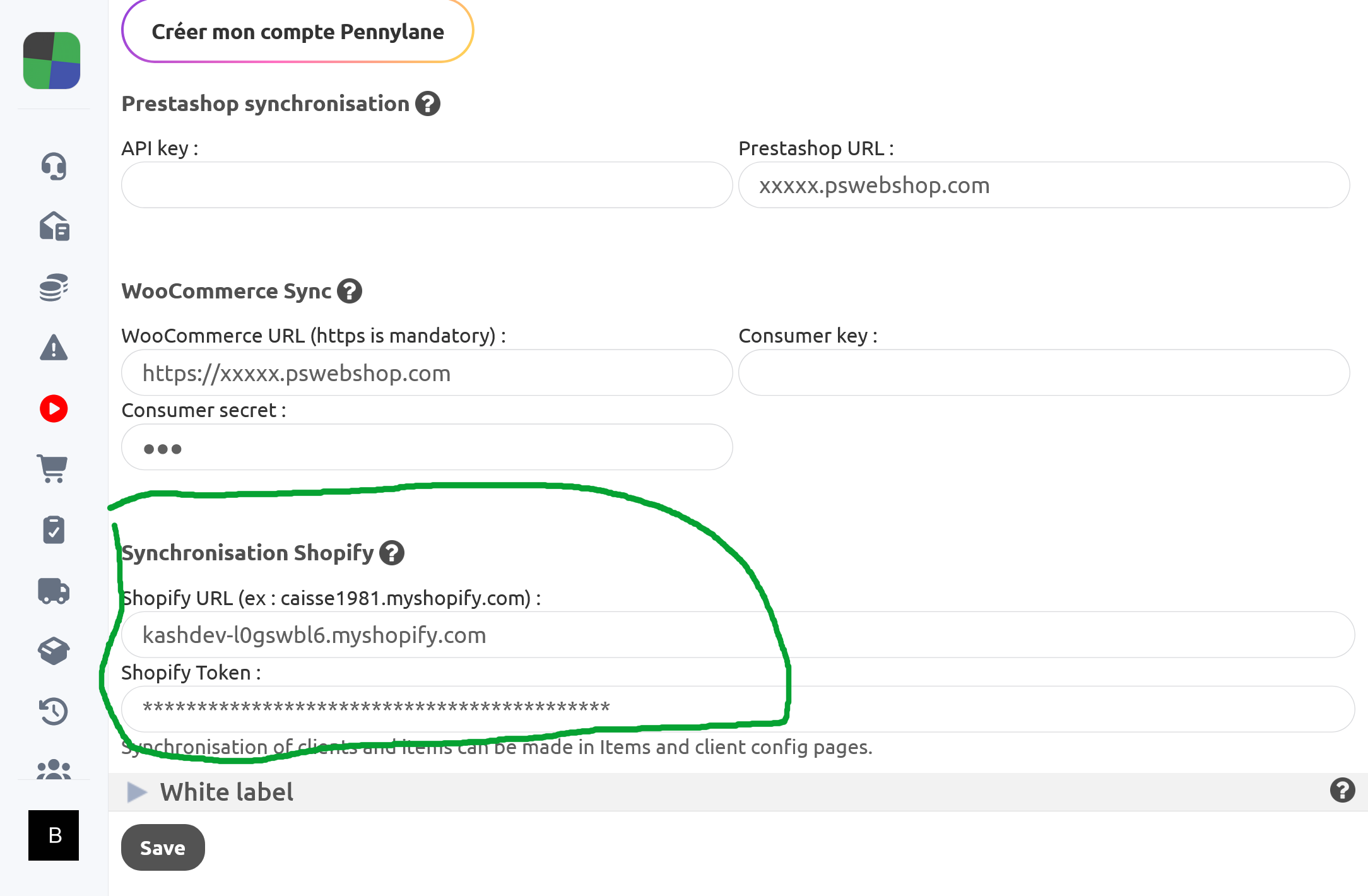
Go back to Kash.click, open the Shopify module configuration, then enter your Shopify store's domain and the Admin API token.
The Shopify domain must be in the format: your-shop.myshopify.com.
The token usually starts with shpat_. Copy it in its entirety, without any spaces before or after.
Synchronize products and customers
Once Shopify is connected, you can use the Shopify Sync button in Kash.click.
This button is available on the product configuration page and on the customer configuration page.
Synchronization allows you to retrieve the Shopify catalogue in Kash.click: new products, modifications, variations, categories, stocks and deletions.
For customers, synchronization allows them to import or update Shopify customer records into Kash.click in order to use loyalty, segmentation, marketing campaign and reporting features.
In case of a problem
If the OAuth connection fails, verify that the authorized redirect URL configured in Shopify exactly matches the URL shown in Kash.click.
A difference in protocol (http or https), domain, or an extra slash can prevent the OAuth connection.
If you are using the Admin API token connection, verify that the Shopify domain is correct, the token is complete, and the necessary permissions have been enabled in Shopify.
If the token has been lost or partially copied, you must return to Shopify and generate a new token from the custom application.
``` Register now This document is made available under the terms of the licence Creative Commons Attribution 4.0 International (CC BY 4.0) .